

 What's with converting?
The Ultimate WA Editor Hex-Editing Topic! Take A Look!
The wdf files that are images are just bmp images, I think (maybe jpg, maybe png, that's what I mean). They are simply renamed. You don't even need to change the extension, because you can choose what program to open the file with by: Right-click --> Open With... --> Paint. What's with converting?
What's with converting?Skype wrote:[7:23:42 AM] Darx: Click here to give me an internet!
[7:23:57 AM] 'a'a: *clicks here*



You mean the units000 file.mqdar wrote:C'mon...richmond2010 wrote:On topic: I’m trying to figure out how to make the green magic work... Must be some code in the .WOP files.
The wop files are editor info, nothing more.
The only actual coding for the green magic would be found in the exe file. Of course, we can't read an exe file, and that's why I'm saying that you would need to decompile it to figure out (nearly) everything.

-
richmond2010

- Rainbow Seeker
- Posts: 266
- Joined: Thu Oct 25, 2007 11:41 am



-
JohnEmmanuel143

- Rainbow Seeker
- Posts: 283
- Joined: Sat Aug 02, 2008 10:27 am
Red Crab flower???
Good Idea!Maybe cbloopy can make it run.....
Re: Red Crab flower???
...Seprately from the others...JohnEmmanuel143 wrote:Good Idea!Maybe cbloopy can make it run.....

jdl wrote:The problem is, if we go to change the texture, it changes it for all of them. Even if I make a folder called IceFlower, the WOP file won't look at that folder only. Just the folder called FireFlower.

However, changing that to IceFlower causes the game to MAV when selecting the Ice Flower manually in the editor.
And nothing happens.

However, this is what I pm'ed cbloopy about... still awaiting a response...


On the spikeyball it says "bowler" so how would it...Qloof234 wrote:Seems like it, because Turtle.wop has Turtle there, same general thing with Chomper...
And yes, the folder IceFlower exists in my Data folder.
Let's hope cbloopy can get this working - I imagine it would be easier than getting us the homing flowers.
Don't judge a person by his look,but his heart
Anytime, Anyplace, Adventure Always Awaits!
Last edited by Loof on 1/1/19999999999999999 BC; edited 98998 in total.
Anytime, Anyplace, Adventure Always Awaits!
Last edited by Loof on 1/1/19999999999999999 BC; edited 98998 in total.
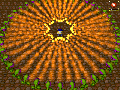
edit: Hold on, I might actually have this workingQloof234 wrote:Let's hope cbloopy can get this working - I imagine it would be easier than getting us the homing flowers.
 ...I think I just got the game trying to load a texture file not in the game. But it failed because it couldn't find the file. I just need to figure out where it is looking for the file. Stay tune!
YES!!!!! I GOT IT TO WORK!!!!!!
EDIT: I uploaded the wrong version of IceThwart.jpg, please download the one in my next post
WOO-HOO!!!!!


This means we no longer need to replace existing texture files in the game to get new textures!
Unzip IceFlower.zip and copy IceFlower.wop into C:\WA Editor v096\Data\Editor\ObjectPresets\Monsters
Unzip IceThwart.zip and copy Ice Thwart.wop into C:\WA Editor v096\Data\Editor\ObjectPresets\NPCs
Now create a new folder "Custom" under C:\WA Editor v096, then put the texture files (IceFlower.png, IceThwart.jpg) into C:\WA Editor v096\Custom.
Finally, try out my test level. Enjoy!
[Note: for some reason the custom object textures don't display as such in the editor, only in the game itself. But it does work.]
WOO-HOO!!!!!
This means we no longer need to replace existing texture files in the game to get new textures!
Unzip IceFlower.zip and copy IceFlower.wop into C:\WA Editor v096\Data\Editor\ObjectPresets\Monsters
Unzip IceThwart.zip and copy Ice Thwart.wop into C:\WA Editor v096\Data\Editor\ObjectPresets\NPCs
Now create a new folder "Custom" under C:\WA Editor v096, then put the texture files (IceFlower.png, IceThwart.jpg) into C:\WA Editor v096\Custom.
Finally, try out my test level. Enjoy!
[Note: for some reason the custom object textures don't display as such in the editor, only in the game itself. But it does work.]
You do not have the required permissions to view the files attached to this post.
Last edited by cbloopy on Sun Feb 22, 2009 11:45 pm, edited 1 time in total.
Ok, I know. You simply edited the WOP file and changed the directory. So, now can you make a jpg image of the file I have attached and name it MissileFlower.jpg Its just the texture of the Red Crab, but it makes an excellent MissileFlower! Also, can you edit the MissileFlower.WOP you made us so it will work with it? You have been a great help to us Cbloopy.
So, now can you make a jpg image of the file I have attached and name it MissileFlower.jpg Its just the texture of the Red Crab, but it makes an excellent MissileFlower! Also, can you edit the MissileFlower.WOP you made us so it will work with it? You have been a great help to us Cbloopy. You do not have the required permissions to view the files attached to this post.